 01 / WORLD OF WARCRAFT
Legion
LEGION
x100
Cross the Broken Isles and face the Burning Legion. Choose the x100 realm and begin your next Legion adventure.
Choose this realmWORLD OF WARCRAFT · UWOWA
Choose Legion x100 or Lich King x5. Reunite with your allies and step into your next adventure.
YOUR ADVENTURE STARTS HERE
Answer the call of the Legion or return to the frozen roads of Northrend. Find the realm that matches your pace.
01 / WORLD OF WARCRAFTCross the Broken Isles and face the Burning Legion. Choose the x100 realm and begin your next Legion adventure.
Choose this realm 02 / WORLD OF WARCRAFT
Return to the frozen continent and follow the legend of the Lich King. Choose the x5 realm and rediscover the road to Icecrown.
Choose this realmChoose your expansion before preparing the matching client. The two realms use different connection settings.
| Compare | Legion x100 | Lich King x5 |
|---|---|---|
| Expansion | Legion | Wrath of the Lich King |
| Destination | Broken Isles | Northrend |
| Realm name | Legion x100 | Lich King x5 |
| Client settings | WTF/Config.wtf · SET portal | realmlist.wtf · set realmlist |
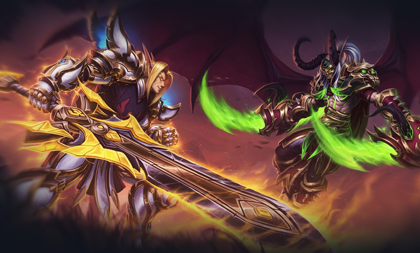
A FAMILIAR WORLD. A NEW STORY.
Some moments are worth returning for. Gather old friends, meet new allies and make Azeroth the setting for your next story together.
Visit the communityGET READY
Create an account. Prepare your client. Choose your world.
Register in the UWOWA account panel with a valid email and follow the activation instructions.
Create an accountGet the launcher from the download page. Select Asia region and Uwowa server when you open it.
Go to downloadsChoose your game version. Already have a client? Expand the guide below for connection settings.
View connection guideUse the configuration for your game version. uwowa.net is this website’s domain; the game connection address remains login.uwowa.com.
Set the following in WTF/Config.wtf (or the appropriate WTF/*.wtf file):
SET portal "login.uwowa.com"Set the following in Data/zhCN/realmlist.wtf; use the matching language folder for other client languages:
set realmlist login.uwowa.comBEFORE YOU SET OUT
Quick answers about realms, clients and accounts.
UWOWA offers Legion x100 and Lich King x5. Choose the expansion and realm pace that suit your adventure.
Register and activate your account in the account panel, then visit the download page for the client or launcher. Choose Asia region and Uwowa server in the launcher and follow its instructions.
If you already have a compatible client, try the settings in the connection guide. For version or file issues, follow the instructions on the download page.
uwowa.net is this website’s domain. Use login.uwowa.com for the game connection. Registration and account management remain at cp.uwowa.com.
The full landing page is available in Simplified Chinese, English, Japanese and Korean. Server overviews and player guides are also available in Russian, Spanish and Brazilian Portuguese. Client and external account-panel languages depend on those services.
UWOWA · WORLD OF WARCRAFT
Choose your world. Begin your next story.
Begin your adventure